↓ONLY REGISTERED STUDENTS↓
How to schedule one or more lessons
IMPORTANT: If this is your first time booking, there’s no need to register beforehand. The system will automatically send you your login details after your booking is complete.
At the moment, it is only possible to pay with Paypal.
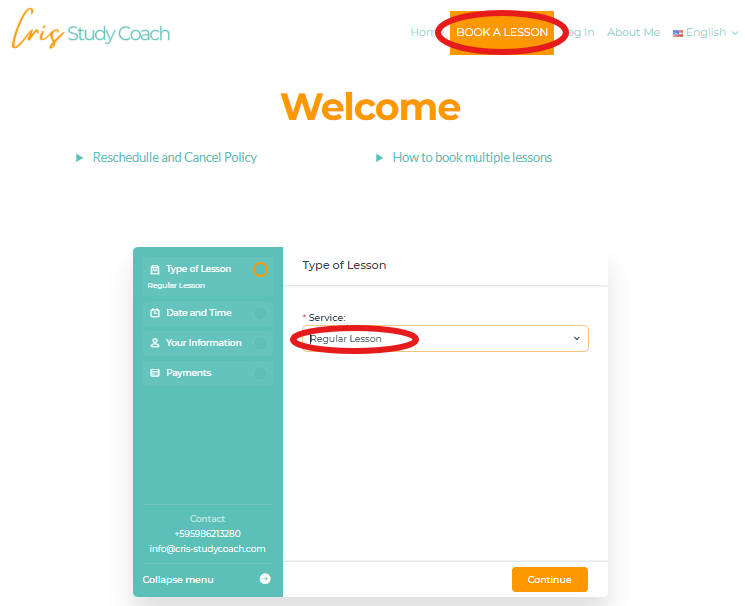
BOOK A LESSON:
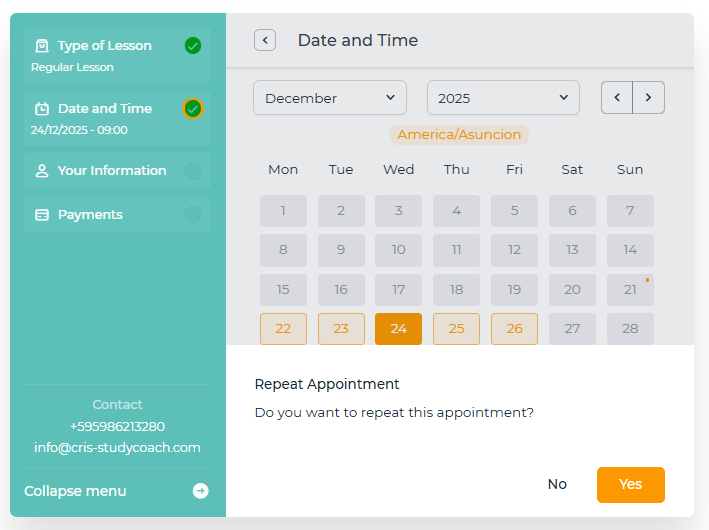
1. Choose date and time.
2. When you click on «Continue», the question «Do you want to repeat this appointment?» will appear. To book a single lesson, click "No."
3. Introduce your information and proceed with the payment.
4. Upon completion of the booking, you will receive an email with your login details to access your Student Dashboard..
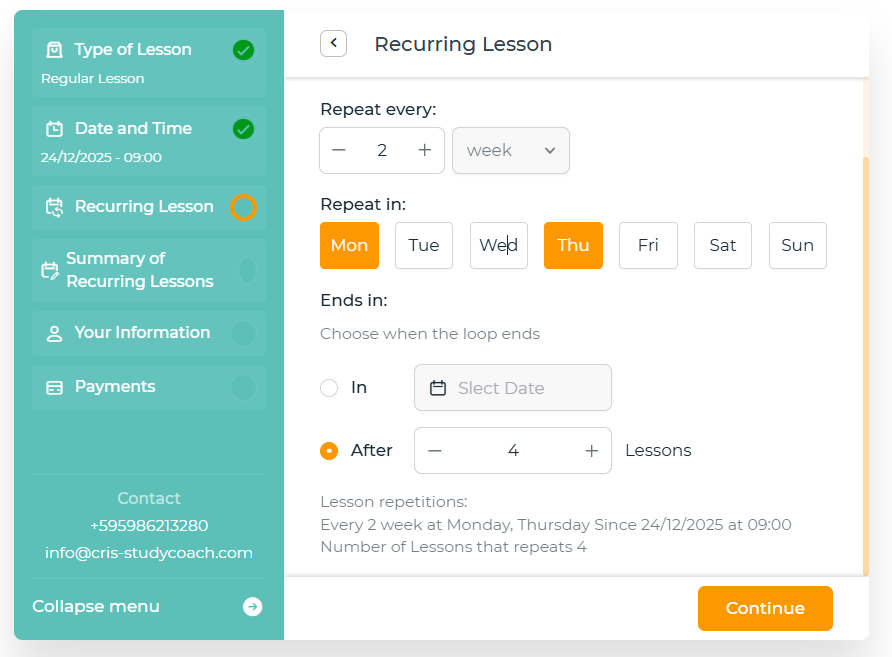
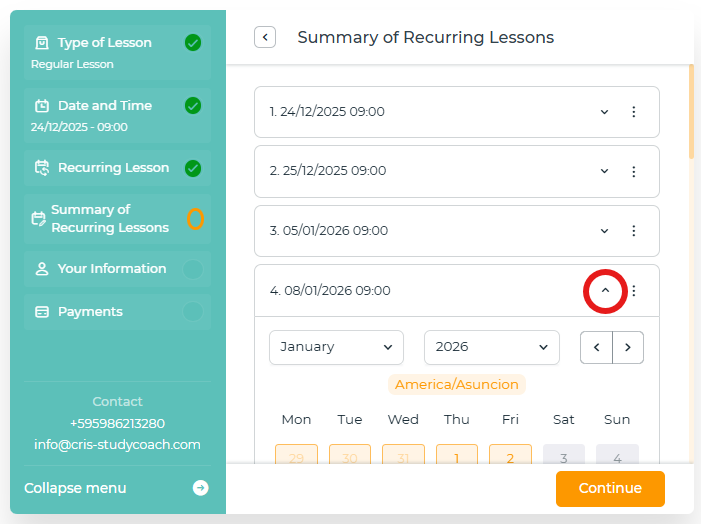
BOOK MULTIPLE LESSONS: (See images below)
(Note: If you decide to purchase multiple classes, you will need to pay for all of them. The time slot reserved for those classes will not be held after the last one. We recommend purchasing the next group of classes in advance to secure your preferred time.)
1. Choose date and time.
2. Al hacer clic en «Continuar», aparecerá la pregunta «¿Desea repetir esta cita?» > To book multiple lessons, click "Yes."
3. Choose how many times a week you want to repeat (Repeat every), the day (Repeat in) and when you want to end the cycle (in the day or after X number of classes)
4. Clicking "Continue" will display a summary of all your classes. You can edit them individually. (If one of your recurring time slots is already booked, you'll receive a notification to reschedule it.)
5. Introduce your information and proceed with the payment.
Rescheduling and Cancellation Policy
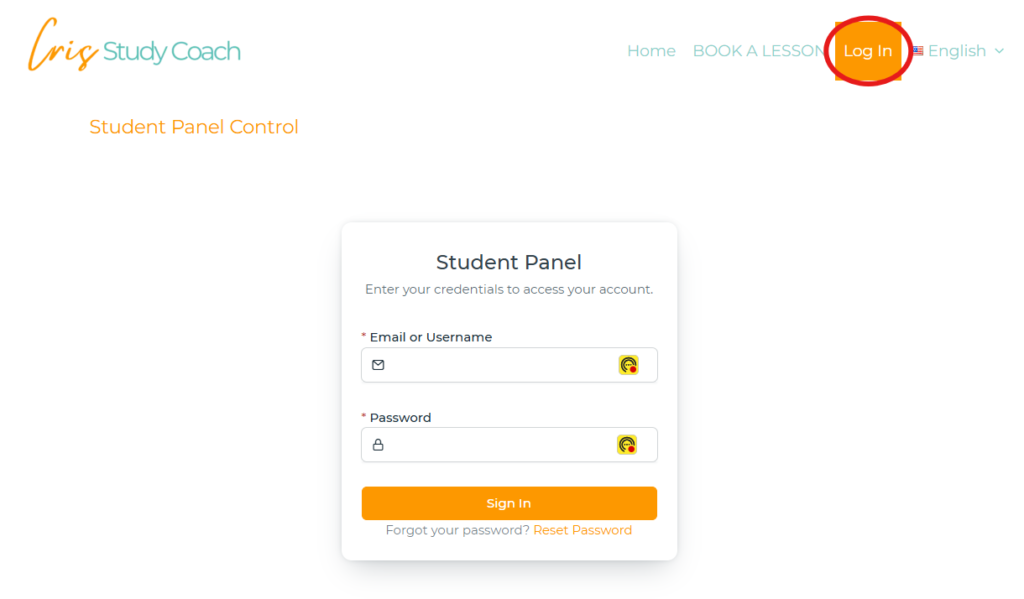
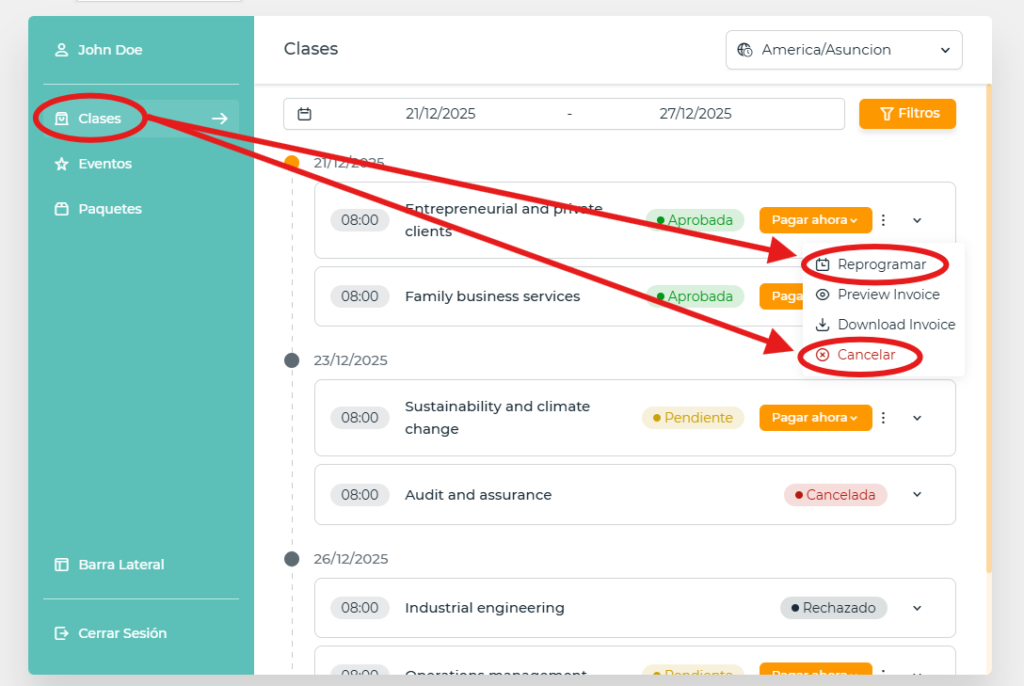
You can reschedule or cancel your appointment up to 24 hours in advance. Go to your Student Dashboard (Log in) and click on the options button, then select the reschedule or cancel option.